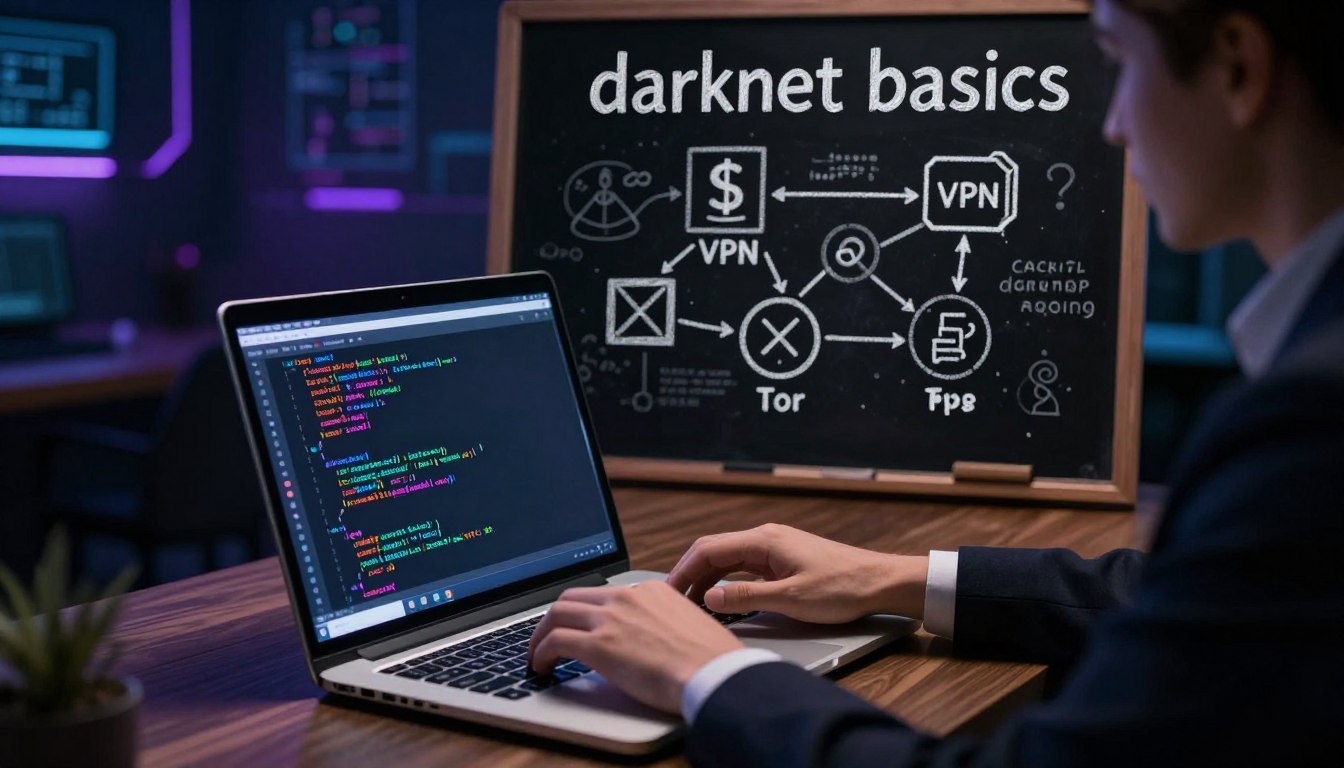
Tag: How to access the darknet

  • How the Darknet Works for Beginners

    How the Darknet Works for Beginners

    Are you curious about the mysterious world of the darknet? As a beginner, it’s natural to have questions about this often misunderstood part of the internet. What if you could explore this hidden realm safely and confidently?

    The darknet is a fascinating topic, shrouded in mystery and intrigue. Understanding its basics can be the first step towards uncovering its secrets. In this article, we’ll take you on a journey through the darknet basics, providing a beginner’s guide to the darknet.

    As we explore this complex world, we’ll address the essential questions and concerns you may have, helping you navigate the darknet with ease.

    Key Takeaways

    • Understanding the basics of the darknet
    • Learning how to navigate the darknet safely
    • Discovering the importance of darknet security
    • Exploring the tools and resources available
    • Gaining confidence in exploring the darknet

    What Is the Darknet?

    The darknet, a term often shrouded in mystery, is a part of the internet that operates differently from the web most people use daily. It is a segment of the internet that is not indexed by traditional search engines and requires specific software to access.

    The Difference Between Surface Web, Deep Web, and Dark Web

    The surface web refers to the part of the internet that is easily accessible and indexed by search engines like Google. In contrast, the deep web includes content that is not indexed by search engines but is still accessible through traditional means, such as databases or password-protected sites. The dark web, a subset of the deep web, is intentionally hidden and requires specialized software to access. Understanding these distinctions is crucial for navigating the darknet.

    How Darknet Networks Function

    Darknet networks operate using peer-to-peer connections, where data is relayed through a network of computers rather than through a central server. This decentralized approach, combined with encryption and anonymity tools, makes it difficult to trace the origin of the data. The most well-known darknet network is Tor, which uses a system of relays to anonymize user traffic.

    By understanding how darknet networks function and the differences between the surface web, deep web, and dark web, users can better navigate this complex part of the internet.

    Understanding Darknet Technology

    The darknet operates on a sophisticated network that employs cutting-edge technology to maintain user privacy. This technology is primarily based on two key components: onion routing and encryption.

    Onion Routing and Encryption Explained

    Onion routing is a technique used to anonymize the origin and destination of data packets. It works by wrapping data in multiple layers of encryption, much like the layers of an onion.

    A close-up view of a stylized onion, symbolizing onion routing in darknet technology, set in a dimly lit, high-tech environment. In the foreground, the onion is intricately detailed, with visual representations of data packets streaming in and out, highlighting the layers of encryption. The middle ground features abstract representations of computer networks and nodes connected by glowing lines, conveying the complexity of the darknet. In the background, a shadowy digital landscape with faint outlines of servers and coding elements under a soft blue and green light, creating a mysterious and tech-savvy atmosphere. The angle is slightly tilted, providing depth and intrigue while emphasizing the concept of secure, anonymous communication. Overall, the mood should evoke curiosity and a sense of advanced technology.

    This process ensures that even if data is intercepted, it cannot be read without the proper decryption keys.

    How Data Packets Travel Through Tor

    When using the Tor network, data packets are routed through multiple nodes before reaching their final destination. Each node decrypts a layer of the data packet, revealing the next node in the path.

    Why Encryption Matters

    Encryption is crucial because it protects the data from being accessed by unauthorized parties. Even if a data packet is intercepted, encryption ensures that the content remains unreadable without the decryption key.

    Anonymity Principles on the Darknet

    The darknet’s anonymity is achieved through a combination of onion routing, encryption, and other privacy-enhancing technologies. These principles work together to protect user identities and maintain the confidentiality of their activities.

    By understanding these technologies, users can better appreciate the complexities involved in maintaining privacy on the darknet.

    Essential Tools for Accessing the Darknet

    For those looking to explore the darknet, having the right tools is crucial for maintaining anonymity and security. The darknet, known for its encrypted and private nature, requires specific software to access its content.

    The Tor Browser: Your Gateway to the Darknet

    The Tor Browser is the primary tool for accessing the darknet. It uses a network of relays to encrypt and anonymize your internet traffic, making it difficult to trace your online activities.

    Installing Tor Browser Correctly

    To install Tor Browser correctly, follow these steps:

    • Download the Tor Browser from the official Tor Project website.
    • Verify the download using the provided cryptographic signatures.
    • Follow the installation instructions for your operating system.

    Verifying Your Tor Installation

    After installation, verify that Tor is working correctly by checking the browser’s connection status. You can also test your connection using online tools that verify your IP address is not visible.

    Additional Security Software You May Need

    While the Tor Browser provides a secure gateway to the darknet, additional security measures can enhance your browsing experience.

    VPNs and Their Role

    A Virtual Private Network (VPN) can add an extra layer of encryption to your internet traffic, providing additional security when accessing the darknet.

    Security Extensions and Add-ons

    Consider using security extensions like NoScript, which can block malicious scripts, and HTTPS Everywhere, which ensures that your connections to websites are encrypted.

    By utilizing these tools and following best practices, you can significantly enhance your security and anonymity when accessing the darknet.

    How the Darknet Works for Beginners: Step-by-Step Access Guide

    Navigating the darknet begins with understanding how to access it securely using the Tor Browser. This guide will walk you through the process, ensuring that you can explore the darknet safely.

    Setting Up Tor Browser Safely

    The first step in accessing the darknet is to download and install the Tor Browser. This browser is specifically designed to connect to the Tor network, which enables anonymous communication.

    To set up the Tor Browser safely, follow these steps:

    • Download the Tor Browser from the official Tor Project website.
    • Verify the download using the provided cryptographic signatures.
    • Install the browser, following the installation instructions carefully.

    Configuring Tor for Maximum Security

    Once installed, configuring Tor for maximum security is crucial. This involves adjusting the security settings within the Tor Browser to ensure that your connection is as secure as possible.

    Key security settings to adjust include:

    • Enabling the “Safest” security level, which disables certain JavaScript features.
    • Configuring the browser to block third-party cookies.

    Testing Your Connection

    After configuring Tor, it’s essential to test your connection to ensure it’s working correctly. You can do this by checking your IP address using a trusted service.

    If your IP address is different from your actual IP, then your Tor connection is working correctly.

    A detailed representation of a computer screen displaying the Tor Browser configuration page. In the foreground, prominently feature a sleek laptop with a glowing screen that shows the Tor Browser settings, including advanced options for security. In the middle ground, a tidy desk cluttered with tech paraphernalia like a USB drive and a privacy-focused book. The background displays a dimly lit room, with soft ambient lighting creating a focused atmosphere, casting light on the laptop. The angle is slightly top-down, capturing both the screen and the desk. The overall mood is mysterious yet informative, emphasizing the importance of privacy and anonymity in digital environments.

    Configuring Your System for Maximum Privacy

    Beyond the Tor Browser, configuring your operating system for maximum privacy is vital. This involves several key steps to minimize tracking and enhance security.

    Operating System Considerations

    Using an operating system that prioritizes privacy, such as Tails or Qubes OS, can significantly enhance your anonymity.

    These systems are designed with privacy features that help protect your identity.

    Disabling Tracking Features

    Disabling tracking features on your operating system is another crucial step. This includes turning off location services and limiting the data shared with advertisers.

    Regularly reviewing your privacy settings ensures that your data is protected.

    Navigating the Darknet Safely

    As you venture into the darknet, understanding its unique infrastructure is crucial for a safe and secure browsing experience. The darknet operates differently from the surface web, with its own set of rules and navigation techniques.

    Understanding .onion Addresses

    .onion addresses are a hallmark of darknet sites, providing a level of anonymity that’s hard to achieve on the regular internet. These addresses are not indexed by traditional search engines, making it necessary to know the exact URL to access a site. Using .onion addresses requires caution, as they can sometimes lead to illegal or harmful content.

    Finding Legitimate Darknet Resources

    To navigate the darknet safely, it’s essential to find legitimate resources. This involves using trusted directories or forums where users share their experiences and recommendations. Verifying the authenticity of a site before engaging with it is a good practice.

    Common Navigation Pitfalls to Avoid

    Avoiding common pitfalls is crucial when navigating the darknet. Some of these pitfalls include:

    • Accessing sites with suspicious or unverified .onion addresses.
    • Sharing personal information or engaging in transactions without verifying the other party’s legitimacy.
    • Ignoring security software updates, leaving your system vulnerable to attacks.

    By being aware of these risks and taking necessary precautions, you can significantly enhance your safety while exploring the darknet.

    Common Services and Content on the Darknet

    Exploring the darknet reveals a diverse range of available services and content. The darknet is not just a haven for illicit activities; it also hosts legitimate platforms and tools.

    Legitimate Uses of the Darknet

    The darknet is utilized for various legitimate purposes, including privacy-focused services and secure communication tools.

    Privacy and Free Speech Platforms

    Some darknet platforms are dedicated to preserving privacy and promoting free speech. These platforms provide a safe haven for individuals living under oppressive regimes or for those who wish to communicate without surveillance.

    Secure Communication Tools

    Secure communication tools on the darknet enable users to exchange information without compromising their identity. These tools are particularly valuable for whistleblowers and journalists.

    A dimly lit underground room filled with computer screens displaying code and digital marketplaces. In the foreground, a person in professional business attire is seated at a cluttered desk, focused on their laptop, surrounded by tech gadgets and cryptocurrency symbols. The middle layer features shelves lined with books about internet security, privacy tools, and the dark web. In the background, a shadowy figure can be seen speaking into a microphone, representing anonymity and communication on the darknet. The atmosphere is tense and mysterious, with blue and green lighting casting an eerie glow. A fisheye lens effect emphasizes the close quarters and creates a sense of intrigue.

    Areas to Avoid and Why

    While the darknet has its legitimate uses, there are also areas that users should avoid due to potential dangers.

    Recognizing Dangerous Content

    Users should be cautious of content that seems suspicious or too good (or bad) to be true. Malware and phishing scams are prevalent, and users must be vigilant to avoid falling prey to these threats.

    Scams and Honeypots

    The darknet is also home to various scams and honeypots set up to trap unwary users. It’s essential to understand the risks and take necessary precautions to protect one’s identity and data.

    In conclusion, the darknet is a multifaceted network that requires careful navigation. By understanding its legitimate uses and potential dangers, users can safely explore this complex environment.

    Legal and Security Considerations

    As you venture into the darknet, being aware of the legal risks and security measures is paramount. The darknet, with its anonymous nature, poses unique challenges for users, including legal implications and security threats.

    Understanding the Legal Risks

    The legal risks associated with darknet use vary significantly across different jurisdictions. Understanding these risks is crucial to avoid legal repercussions.

    Country-Specific Regulations

    Different countries have different laws regarding darknet access and usage. For instance, some countries have strict regulations against accessing certain types of content on the darknet.

    Country Regulation
    United States Access is legal, but certain activities are regulated.
    Russia Strict controls on content and access.
    China Access is heavily restricted and monitored.

    Activities to Strictly Avoid

    Certain activities on the darknet are illegal and can lead to severe legal consequences. These include but are not limited to accessing illegal marketplaces or engaging in cybercrime.

    Protecting Your Identity and Data

    Maintaining anonymity and protecting your data are critical when using the darknet. This involves using the right tools and following best practices.

    Best Practices for Anonymity

    Using a VPN, accessing the darknet through Tor, and avoiding the use of personal information are some of the best practices to maintain anonymity.

    What to Do If Something Goes Wrong

    In case of a security breach or if you inadvertently access illegal content, having a plan in place is crucial. This includes knowing how to report incidents and securing your data.

    Conclusion

    As we’ve explored throughout this beginner’s guide to the darknet, understanding the intricacies of this hidden network is crucial for safe and responsible browsing. By grasping the fundamentals of darknet technology, utilizing essential tools like the Tor Browser, and being aware of the legal and security considerations, you’re well-equipped to start exploring the deep web.

    Navigating the darknet requires a combination of caution and curiosity. As you venture into this new territory, remember to stay informed about the latest developments and best practices for maintaining your anonymity and security online.

    By following the guidelines outlined in this article, you’re taking the first steps towards a more secure and informed online presence. Whether you’re looking to access legitimate darknet resources or simply expand your knowledge of the digital landscape, a well-informed approach is key to a successful and safe exploration of the darknet.


    FAQ

    What is the difference between the darknet and the deep web?

    The darknet is a subset of the deep web, which refers to all online content that isn’t indexed by search engines. The darknet is a network that is intentionally hidden and not accessible through standard web browsers, requiring special software like Tor to access.

    Is it safe to browse the darknet?

    Browsing the darknet can be risky if you don’t take the necessary precautions. Using the Tor Browser and other security software can help protect your identity and data. However, it’s crucial to be cautious and avoid suspicious links or downloads.

    Can I get in trouble for accessing the darknet?

    Accessing the darknet itself is not necessarily illegal, but engaging in certain activities on the darknet can be. It’s essential to understand the laws in your country and avoid activities that are prohibited.

    How do I know if a darknet site is legitimate?

    Verifying the legitimacy of a darknet site can be challenging. Look for sites with good reputations, and be wary of sites that ask for personal information or downloads. Using trusted directories and forums can also help you find legitimate resources.

    Can I use a VPN with Tor?

    Yes, using a VPN with Tor can provide an additional layer of security and anonymity. However, it’s crucial to choose a VPN that is compatible with Tor and understand how it will affect your connection.

    What is onion routing, and how does it work?

    Onion routing is a technique used to anonymize internet traffic. It works by encrypting data multiple times and routing it through a network of nodes, making it difficult to trace the origin of the data.

    How do I configure Tor for maximum security?

    To configure Tor for maximum security, ensure you’re using the latest version of the Tor Browser, and adjust the security settings as needed. You can also disable JavaScript and use the “Safest” security level to minimize risks.

    What are some common pitfalls to avoid when navigating the darknet?

    Common pitfalls include clicking on suspicious links, downloading unknown files, and providing personal information. Being cautious and using trusted resources can help you avoid these risks.

    Can I use my regular email or social media accounts on the darknet?

    It’s generally not recommended to use your regular email or social media accounts on the darknet, as this can compromise your anonymity. Consider creating separate accounts for darknet use.

    What should I do if I encounter something disturbing or illegal on the darknet?

    If you encounter something disturbing or illegal, it’s best to avoid engaging with it and disconnect from the site. If necessary, report the incident to the relevant authorities or take steps to protect yourself.
  • Darknet Explained: A Simple Guide to the Dark Web

    Darknet Explained: A Simple Guide to the Dark Web

    Have you ever wondered what lies beyond the surface of the internet that we use daily?

    The darknet, a term often shrouded in mystery, is a part of the internet that is not accessible through traditional search engines. It’s a realm that has sparked curiosity and concern among many.

    Understanding the darknet basics is essential for anyone looking to explore this hidden part of the internet. This guide aims to simplify the complex concepts surrounding the darknet, making it easier for beginners to grasp.

    Key Takeaways

    • Understanding the basics of the darknet
    • Learning how to access the darknet safely
    • Exploring the common uses of the darknet
    • Identifying the risks associated with the darknet
    • Discovering the tools needed to navigate the darknet

    What is the Darknet Explained Simply

    The darknet, a term often shrouded in mystery, is a part of the internet that operates differently from the regular web we use daily. To understand it, we need to delve into the structure of the internet and how the darknet fits into it.

    The Three Layers of the Internet: Surface, Deep, and Dark

    The internet is broadly categorized into three layers: the Surface Web, the Deep Web, and the Dark Web. The Surface Web is what we access daily, comprising websites indexed by search engines like Google.

    The Deep Web refers to content that isn’t indexed by search engines but is still accessible through standard web browsers. This includes password-protected sites, private databases, and more.

    The Dark Web, or darknet, is a subset of the Deep Web that is intentionally hidden and inaccessible through standard web browsers. It requires special software to access.

    Layer Description Accessibility
    Surface Web Indexed by search engines Standard web browsers
    Deep Web Not indexed, but accessible Standard web browsers, with credentials
    Dark Web Intentionally hidden Special software required

    How the Darknet Differs from Regular Internet

    The darknet differs significantly from the regular internet in terms of accessibility and anonymity. While the regular internet is easily accessible and tracks user activities, the darknet is designed to be private and anonymous.

    This anonymity is achieved through encryption and special networks like Tor. The darknet’s structure allows for both legitimate and illicit activities, making it a complex entity that requires careful navigation.

    Understanding Dark Web Technology

    The technology behind the dark web is multifaceted, involving several key components that work together to provide a secure and anonymous browsing experience. At its core, the dark web relies on specialized networks and protocols to ensure that users’ identities and activities remain private.

    Tor Network and How It Works

    The Tor network is one of the most popular means of accessing the dark web. It works by routing internet traffic through a global network of volunteer-operated servers, making it difficult to trace the origin of the data. This is achieved through a process of encryption and relaying data between multiple nodes, ensuring that no single node knows both the source and destination of the data.

    A mysterious, dark-themed digital landscape showcasing advanced dark web technology. In the foreground, a sleek, high-tech computer setup with glowing screens displays code and cryptographic patterns, set on a rugged desktop. The middle ground features a network of interconnected nodes and dark servers, symbolizing anonymity and encryption, surrounded by a faint blue glow, suggesting activity just beneath the surface. The background is shrouded in soft shadows, hinting at a vast expanse of hidden information and data traffic, with subtle hints of digital world maps and binary code cascading downwards. The lighting is moody and atmospheric, with a focus on the luminous screens and nodes, creating an air of intrigue and secrecy. Capture the essence of the dark web without any identifiable or suggestive elements.

    Onion Routing and Anonymity Explained

    Onion routing is a technique used by the Tor network to achieve anonymity. It involves encrypting data multiple times and sending it through a series of nodes, each of which decrypts a single layer of encryption. This process, known as “onion routing,” ensures that the data remains encrypted until it reaches its final destination, thus maintaining the anonymity of the user.

    Other Darknet Networks (I2P, Freenet)

    Apart from Tor, other darknet networks like I2P (Invisible Internet Project) and Freenet provide similar functionalities. I2P is designed to be a more resilient and faster alternative to Tor, while Freenet is a decentralized network that allows for the sharing of files and communication in a censorship-resistant manner. These networks offer additional options for users seeking to maintain their privacy online.

    In conclusion, understanding the technology behind the dark web is crucial for navigating this complex and often misunderstood part of the internet. By leveraging networks like Tor, I2P, and Freenet, users can enjoy a higher level of privacy and security online.

    How to Access the Darknet Safely

    For those looking to explore the darknet, the first step is to learn how to access it without compromising your security or anonymity. The darknet, with its encrypted and anonymous nature, offers a unique way to browse the internet privately. However, it requires specific knowledge and precautions to navigate safely.

    Required Software and Setup Process

    The primary tool for accessing the darknet is the Tor Browser. Tor (The Onion Router) is a free, open-source software that enables anonymous communication. To start, download the Tor Browser from the official Tor Project website to ensure you’re getting the legitimate software. The setup process involves installing the browser and configuring it according to your needs. It’s crucial to keep your Tor Browser updated to protect against known vulnerabilities.

    Essential Security Measures Before Access

    Before accessing the darknet, several security measures should be taken. First, ensure your operating system and antivirus software are up-to-date. Consider using a VPN (Virtual Private Network) in conjunction with Tor for an added layer of encryption, though this should be done with caution as it can sometimes compromise anonymity if not configured correctly. Additionally, disable JavaScript in your Tor Browser settings to reduce the risk of exploitation by malicious scripts. As Bruce Schneier, a renowned security expert, once said, “Security is a process, not a product.”

    “If you give me six lines written by the hand of the most honest of men, I will find something in them to hang him.” –

    Cardinal Richelieu

    Step-by-Step Guide to Accessing Tor

    Accessing Tor is straightforward. First, download and install the Tor Browser from the official Tor website. Once installed, launch the browser and follow the on-screen instructions to connect to the Tor network. You’ll be presented with a default homepage that includes a search bar and links to various .onion sites. To visit a .onion site, you’ll need to know the specific URL, as these sites are not indexed by regular search engines.

    • Download Tor Browser from the official Tor Project website.
    • Install the browser on your computer.
    • Launch the Tor Browser and connect to the Tor network.
    • Configure your security settings as needed.

    Common Security Mistakes to Avoid

    One of the most significant security mistakes is using a browser other than Tor to access .onion sites, as this can expose your IP address. Another mistake is downloading files from untrusted sources, which can lead to malware infections. Always verify the authenticity of the sites you visit and be cautious with the information you share. By being aware of these potential pitfalls, you can significantly enhance your security on the darknet.

    What You’ll Find on the Dark Web

    Contrary to popular belief, the dark web is not just a hub for illicit activities; it also hosts a variety of legitimate content and services. While it’s true that the dark web has been associated with illegal marketplaces and activities, it also provides a platform for privacy-focused individuals and organizations to operate without surveillance.

    Legitimate Uses and Privacy Applications

    The dark web offers several legitimate uses, particularly in the realm of privacy applications. For instance, whistleblowers and journalists often use the dark web to communicate securely. Organizations like the Tor Project provide tools and resources to help individuals protect their privacy online. Additionally, the dark web is used by people living under oppressive regimes to access information and communicate freely.

    Moreover, the dark web is home to various privacy-focused services, such as secure email providers and encrypted messaging apps. These services are designed to protect users’ data and maintain their anonymity online.

    Common Dark Web Services and Marketplaces

    Despite its reputation, the dark web hosts a range of services and marketplaces that cater to different needs. Some of these services include:

    • Forums and discussion boards on various topics
    • Marketplaces for legal goods and services
    • Secure file-sharing platforms

    It’s essential to note that while some of these marketplaces have been involved in illicit activities, others provide legitimate goods and services. The key is understanding how to navigate this space safely.

    A dimly lit cyberpunk-style room filled with multiple glowing computer screens displaying abstract, cryptic codes and dark web service icons. In the foreground, a silhouette of a person in professional business attire, hunched over a laptop, with their face obscured by shadows, highlighting the secrecy of the dark web. The middle layer features an array of digital interfaces, showcasing various sections often found on the dark web, such as forums and marketplaces, all in deceptive blues and greens. The background is a blurred abstract city skyline, hinting at urban isolation and technological intrigue. The atmosphere is mysterious and clandestine, with moody lighting that casts dramatic shadows.

    Navigating .onion Sites and Search Engines

    Navigating the dark web requires understanding how to access .onion sites and use specialized search engines. .onion sites are websites that are hosted on the Tor network, and they can be accessed using the Tor browser.

    Understanding Dark Web Addresses

    Dark web addresses typically end in .onion, and they are not indexed by regular search engines like Google. To access these sites, users need to use a Tor-compatible browser or a specialized search engine that indexes .onion sites.

    Finding Legitimate Resources

    To find legitimate resources on the dark web, users should be cautious and verify the authenticity of the sites they visit. This can involve checking for HTTPS encryption, reading reviews, and being aware of the site’s reputation within the community.

    Conclusion: Staying Safe in the Digital Shadows

    Navigating the darknet can be a daunting task, especially for those new to the concept. This guide has provided a comprehensive overview of the darknet, including its technology, how to access it safely, and what to expect when exploring its depths. For darknet for beginners, understanding the basics is crucial for a safe and informed experience.

    A dark web guide is not complete without emphasizing the importance of security measures. As highlighted, using the right software, such as Tor, and following essential security protocols can significantly reduce risks associated with darknet exploration. Knowing what is the darknet explained simply helps in making informed decisions when venturing into this part of the internet.

    As the digital landscape continues to evolve, staying informed about the darknet and its practices is vital. By understanding its workings and taking necessary precautions, users can protect themselves and make the most of the darknet’s legitimate offerings. Whether for privacy, research, or other legitimate purposes, a well-informed approach is key to safely navigating the digital shadows.

    FAQ

    What is the darknet, and how does it differ from the regular internet?

    The darknet is a part of the internet that is not indexed by search engines and requires special software to access. It differs from the regular internet in that it provides a higher level of anonymity and privacy, making it a hub for both legitimate and illicit activities.

    Is it safe to access the darknet, and what precautions should I take?

    Accessing the darknet can be safe if you take the necessary precautions. This includes using a reputable VPN, keeping your browser and operating system up to date, and being cautious when clicking on links or downloading files. It’s also essential to understand that the darknet is not regulated, so you may encounter malicious content.

    What is Tor, and how does it work?

    Tor (The Onion Router) is a free, open-source software that enables anonymous communication by routing internet traffic through a network of relays. When you use Tor, your data is encrypted and passed through multiple nodes, making it difficult to track your IP address or identify your location.

    Can I use my regular browser to access the darknet?

    No, you cannot use your regular browser to access the darknet. You need to use a specialized browser like Tor Browser, which is designed to connect to the Tor network and access .onion sites.

    What are some common uses of the darknet?

    The darknet has various legitimate uses, including providing a platform for whistleblowers, journalists, and activists to communicate anonymously. It’s also used for privacy-focused browsing and accessing information that’s censored in certain regions.

    How do I find legitimate resources on the darknet?

    To find legitimate resources on the darknet, you can use specialized search engines like Ahmia or start with known .onion sites that have a good reputation. Be cautious and verify the authenticity of the resources you find.

    What are .onion sites, and how do I access them?

    .onion sites are websites that are hosted on the Tor network and can only be accessed using the Tor Browser. To access .onion sites, you’ll need to use a Tor-compatible browser and navigate to the site using its .onion address.

    Is it illegal to access the darknet?

    Accessing the darknet is not inherently illegal. However, engaging in illicit activities or accessing prohibited content on the darknet is against the law. It’s essential to understand the laws in your jurisdiction and use the darknet responsibly.